Features
Made for the way a call is actually run.
Overwatch is not a records system with dispatch bolted on. Every one of these came from working a call at the console and in the cab — from a caller who can only give a corner, a crew that needs the gate code, an engine relieving another at four in the morning — and every one is in the product today.
Console
Where it is, however the caller says it
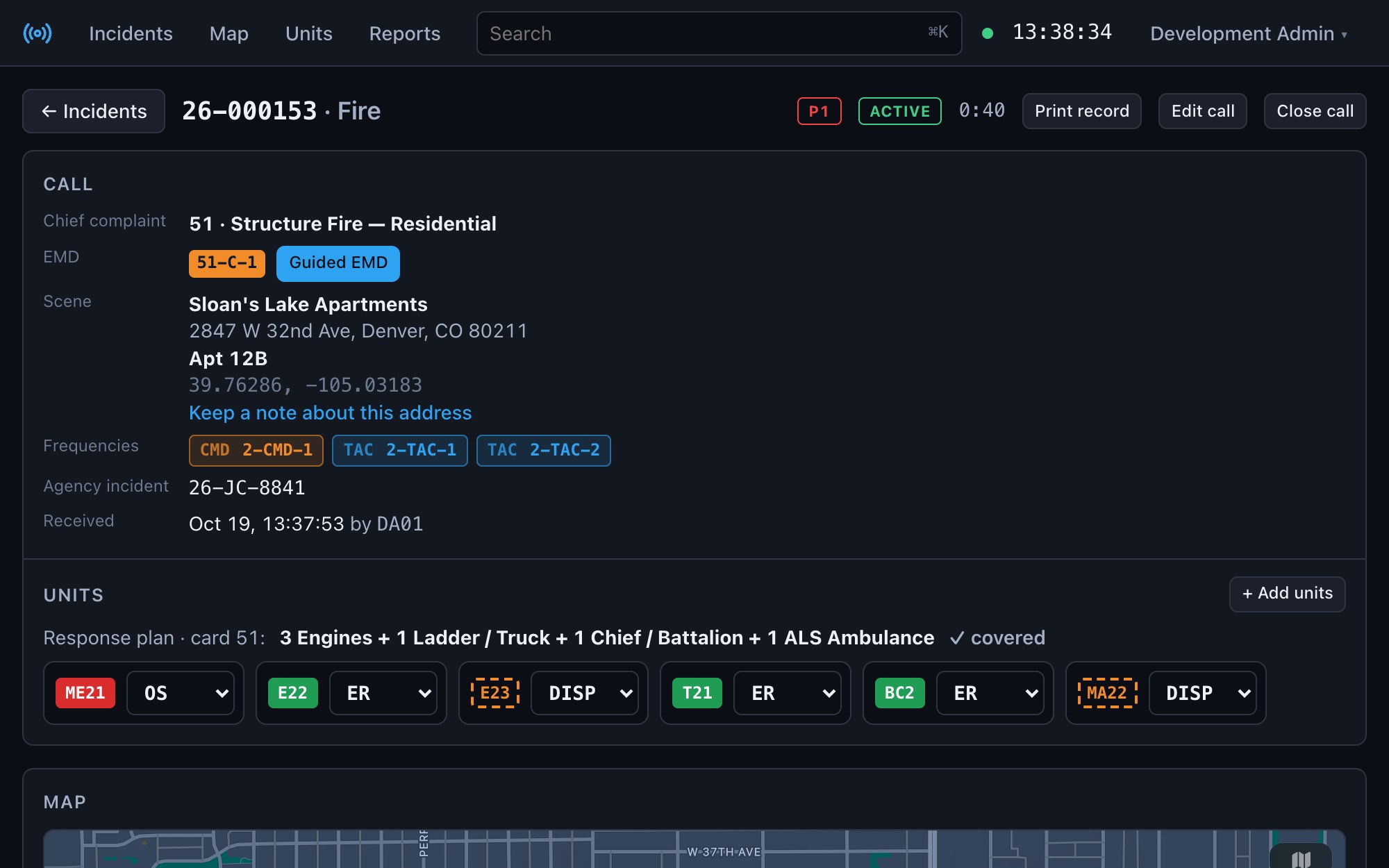
A scene is whatever the person on the phone can tell you. All of these are one box, and none of them is a mode you pick first.
- An address, searched on Apple Maps as you type, chosen with the arrow keys.
- A business or place by name — the call reads 2847 W 32nd Ave · Sloan's Lake Apartments, because a crew finds the sign before the number. Type a name the map has never heard of and it stays.
- Cross streets, typed any of the ways a corner is said:
Redlands Blvd // Mountain View Ave, or/,&,x,at,and. The map is asked the only way it answers with the intersection, and the corner is written down the way you typed it. A junction the map has no pin for is taken as typed and pinned by hand. - An apartment, space or suite: 12B reads "Apt 12B", Space 14 and Ste 300 are left as written.
- Coordinates alone, for a trailhead, a mile marker or a field.
- A place from your roster — hospitals, airports, landing zones, stations — offered above the map's results.
Console & iPad
What you already know about an address
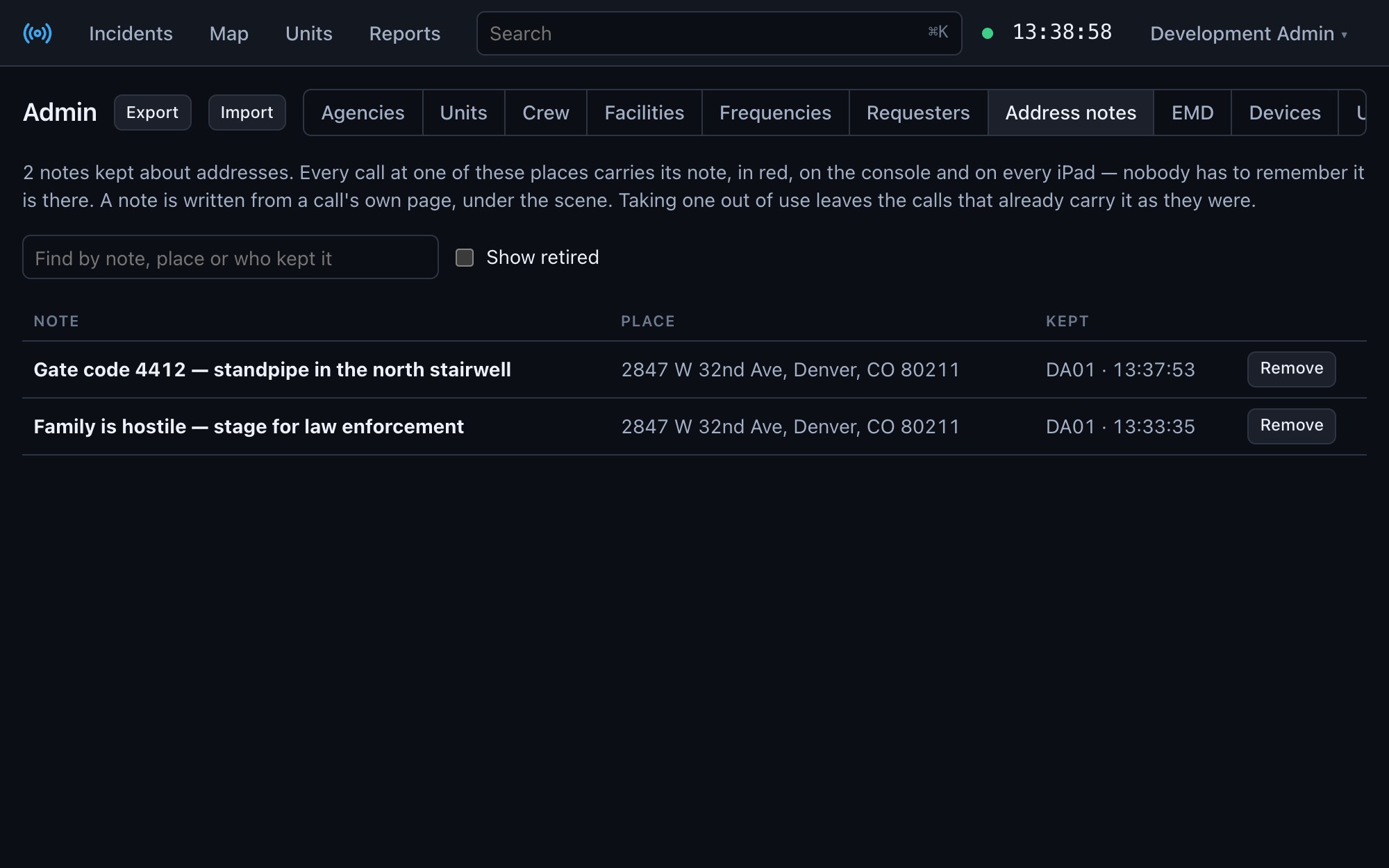
An engine tells you the family at this house is hostile, or that the gate code is 4412. Write it against the address once; every later call there carries it in its notes, flagged, on the console and in every cab — without anyone having to remember it is there.
- Matched by where it is — within 40 m, which is a house or a store and not its neighbours — or by the address as written, so a scene typed without coordinates still finds it.
- An apartment's note stays that apartment's. The hostile family in 12B is not every call at the block.
- It arrives as a note, not a banner: flagged like a dispatcher's own, in the record and on the iPads.
- Retired, never deleted, so what a call was dispatched with stays true.
Console
Sixty-nine cards, guided, with the response planned
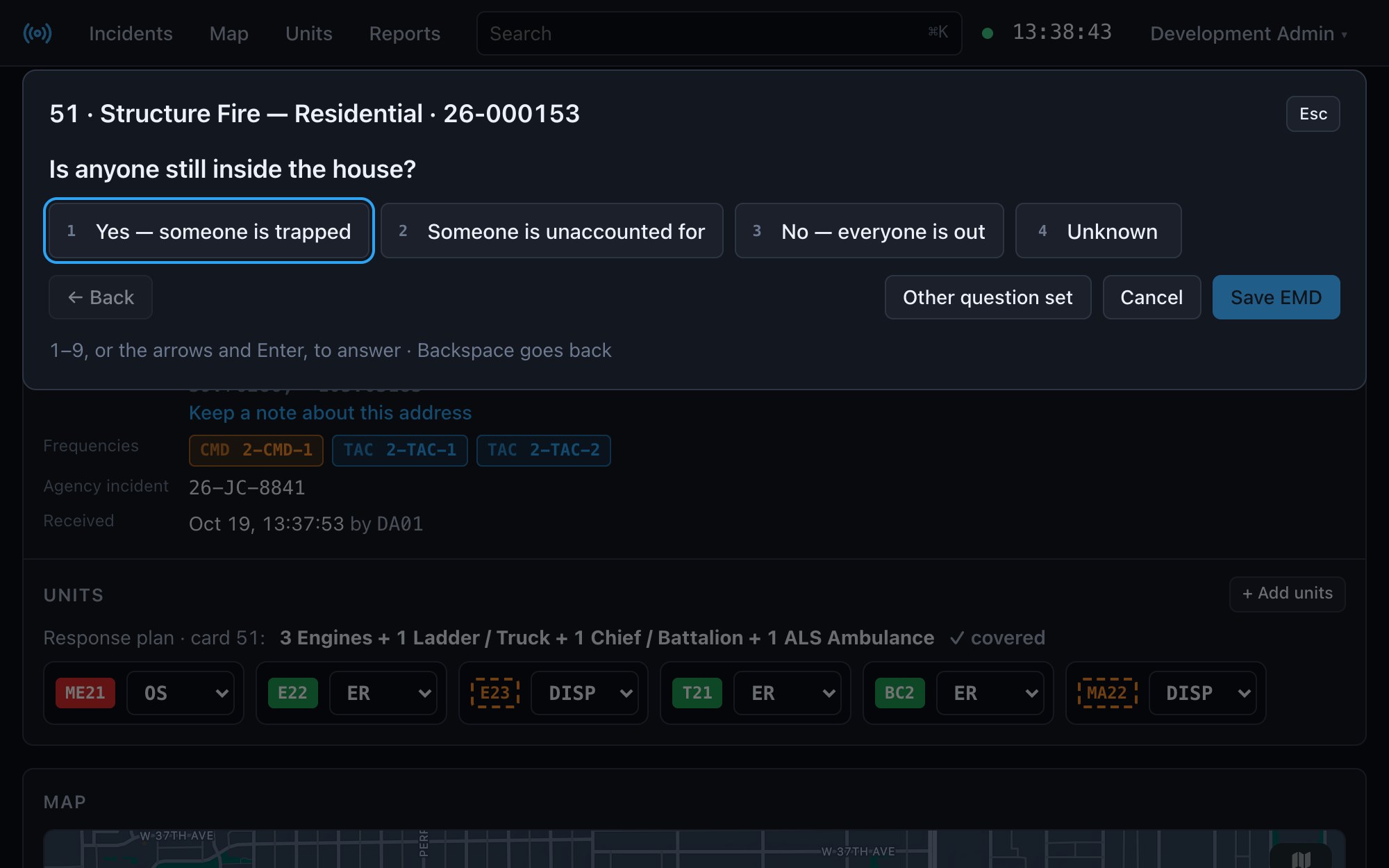
Pick the card and the questions come in order; 1 to 9 answers them, Backspace goes back, and the determinant is recommended at the end.
- Thirty-three medical cards and thirty-two fire cards — structure fires by occupancy, wildland, hazmat, alarms, rescues, gas leaks, investigations.
- The card sets the call's type. A fire call shows no patient row anywhere, and never asks for one.
- A response plan per card: card 51 asks for three engines, a ladder, a chief and an ALS ambulance, and the page says covered or names exactly what is missing.
- The closest units that fit are recommended, by drive time from where they actually are.
- Your own wording. Every card is editable under Admin → EMD, and the fire cards are ours, written in plain language.
Console
Out the door, and answered for
Assigning is one line, and nothing relies on a dispatcher remembering to chase a unit that has gone quiet.
- Automatic CONFIRM RESPONSE. A unit that has not answered is re-paged every minute — aircraft until the crew acknowledges, ground units until they go ER — and each re-page is written in the notes so you can see it went.
- A command channel and a tac channel, each taking as many as the incident needs, picked from your own list. One channel can only be on one incident at a time, and the console refuses the second.
- Active911: the dispatch, urgent notes, cancellations and re-pages emailed to each unit as a Cadpage alert.
- Busy units can still be sent — end the line with
!and the override is recorded. - Stage for law enforcement in one command: every iPad on the call acknowledges, and the scene is cleared for all of them together.
Console
A command line for fast hands
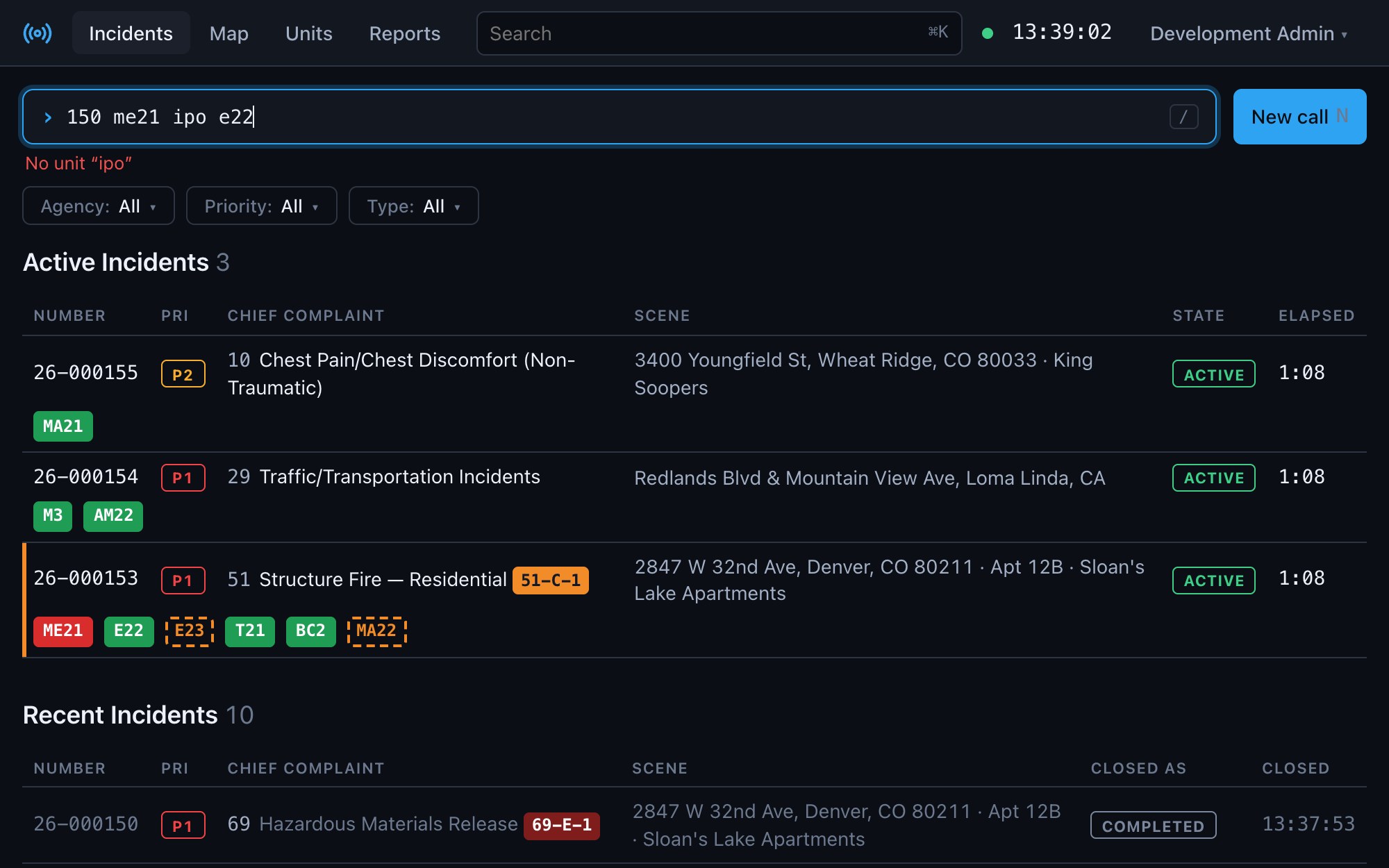
Press / on the board and type. Before anything runs, the line says in words what Enter will do, so you read it back as you would on the radio.
150 me21 e22Assign and page units to call 26-000150me21 ipo e22In place of: E22 goes AOR, ME21 takes its place on the callme21 osMove a unit: acp er os tr trc aor cxl150 note LZ movedAdd a note to the call150 stage · 150 clearStage every unit, then clear the scene for all of themr5 oos mxOut of service with a reason (wx mx crew other); r5 is brings it backfreq tac 4Look up a channel by name, by agency, or by callclose 150Close, cancel or turn down a callN · I · M · UNew call, Incidents, Map, Units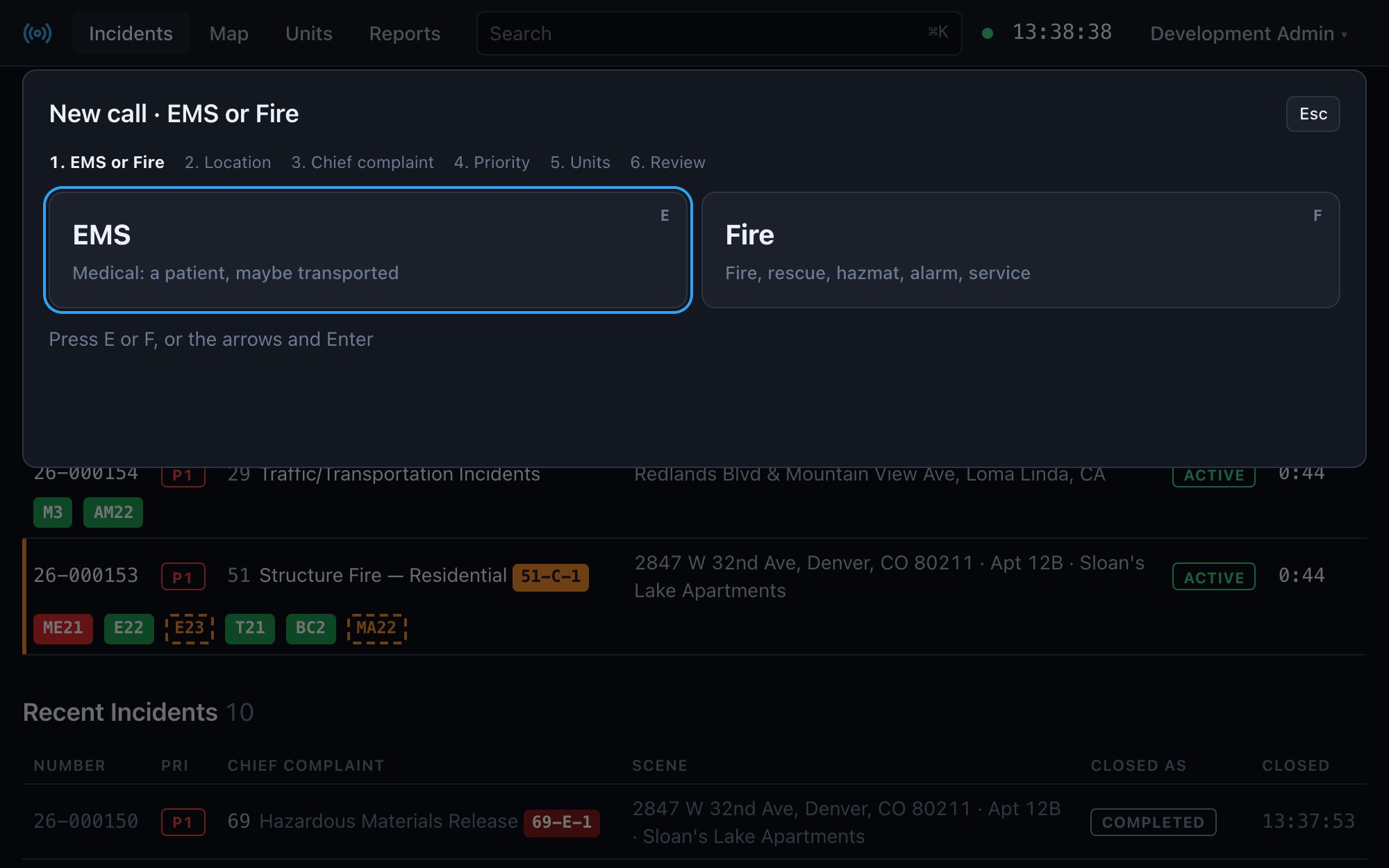
Console & iPad
While the call runs
The things that happen between the page and the last unit clearing.
- Safety checks every 25 minutes for a unit on scene. The console says which unit is due and how long ago, and one button marks it checked.
- Turndowns are shared. A unit that declines, or a call turned down outright, warns the next call taken within 25 NM for three hours.
- Transporting carries the destination, the code and the patient count — set by the crew or the console, and correctable afterwards by either.
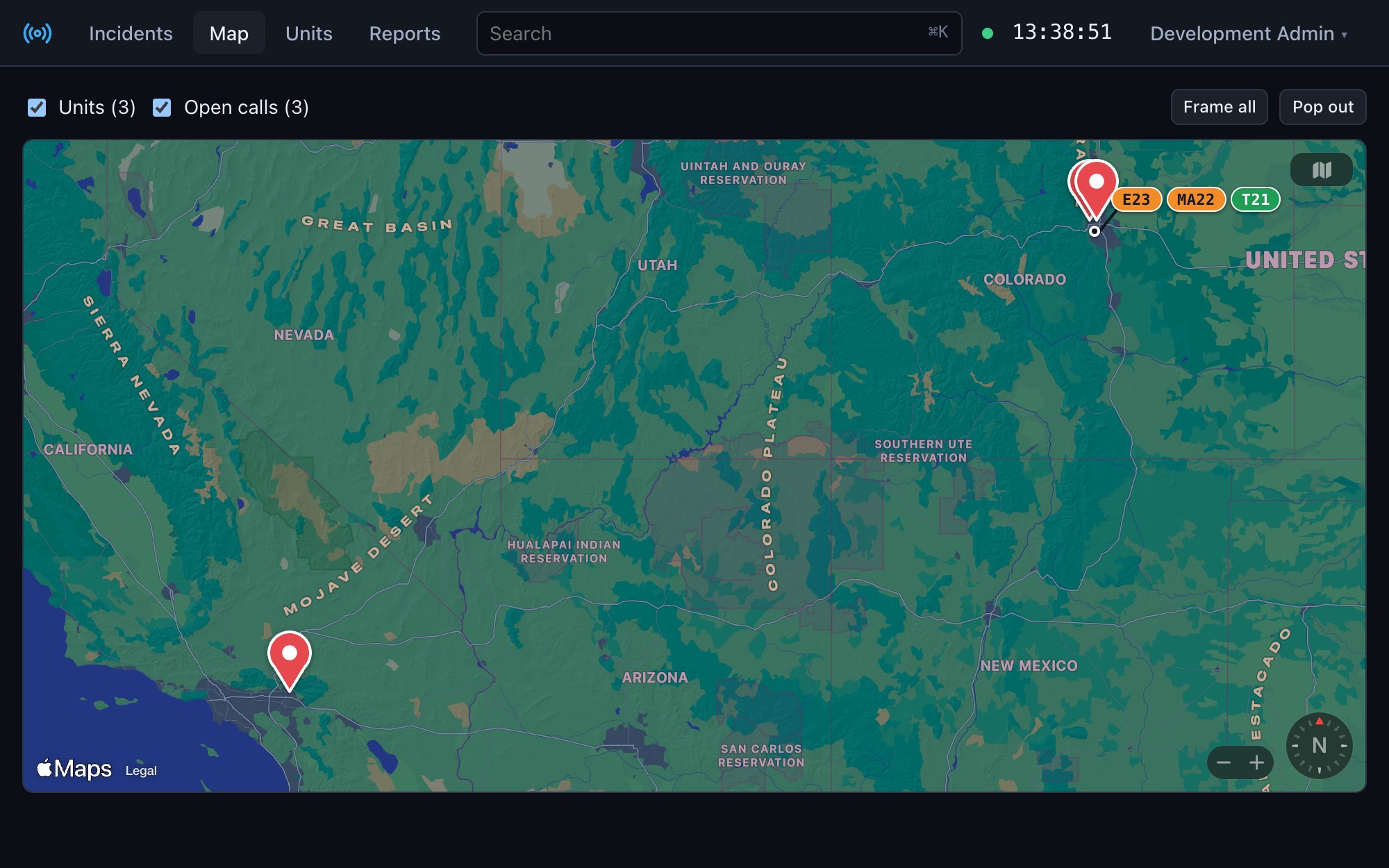
- Live positions from every iPad, on the call's map, the Map page, and a window you can throw onto a second screen.
- Previous incidents at the same address, one tap from the call, on both sides.
- Notes both ways, numbered once: line 12 is line 12 at the console and in every cab.
iPad
Built for the cab
Mounted in the dash, read from the seats, signed in to its unit for the shift.
- Pages through a locked screen with the crew's own chosen tone, full screen, until someone acknowledges.
- Critical alerts. A page sounds at full volume through a muted iPad and through Focus and Do Not Disturb, using Apple's critical alerts for public safety. The crew allows it once on each iPad.
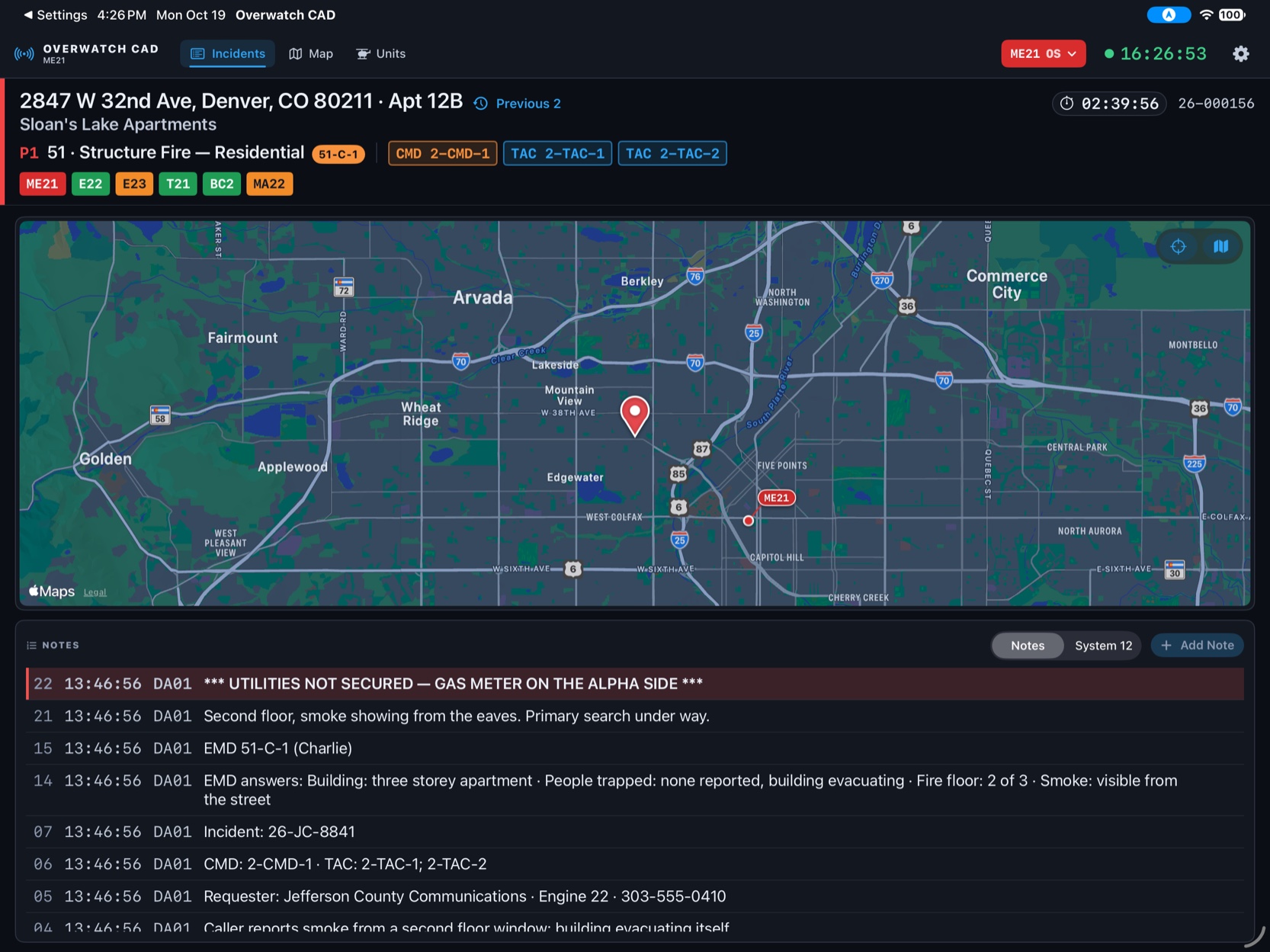
- The address leads, in type you can read at arm's length, with the place's name under it and the apartment beside it.
- One-tap status that offers only the steps that make sense next.
- Keeps working through dead spots. Times and notes wait in an outbox and go when the link returns, with a banner while it is down.
- Directions — tap the address for Apple Maps — and the call's own map with the scene, the destination and the other units.
- The channels for this call, command and tac, as chips on the call's head.
- Change the unit or the crew without signing out, and sign out at the end of shift.
Console
The record, and what reads it
Every call keeps one numbered log, and every time on it was reported by the people who were there.
- Notes and System tabs: status times and the center's own lines go to System, so what people wrote stays readable. Anything flagged stays with the notes.
- ! and !! — flagged reads amber; urgent reads red and sounds an alarm in every cab on the call.
- Printable call record: the whole call, its notes and every unit's times, on one page.
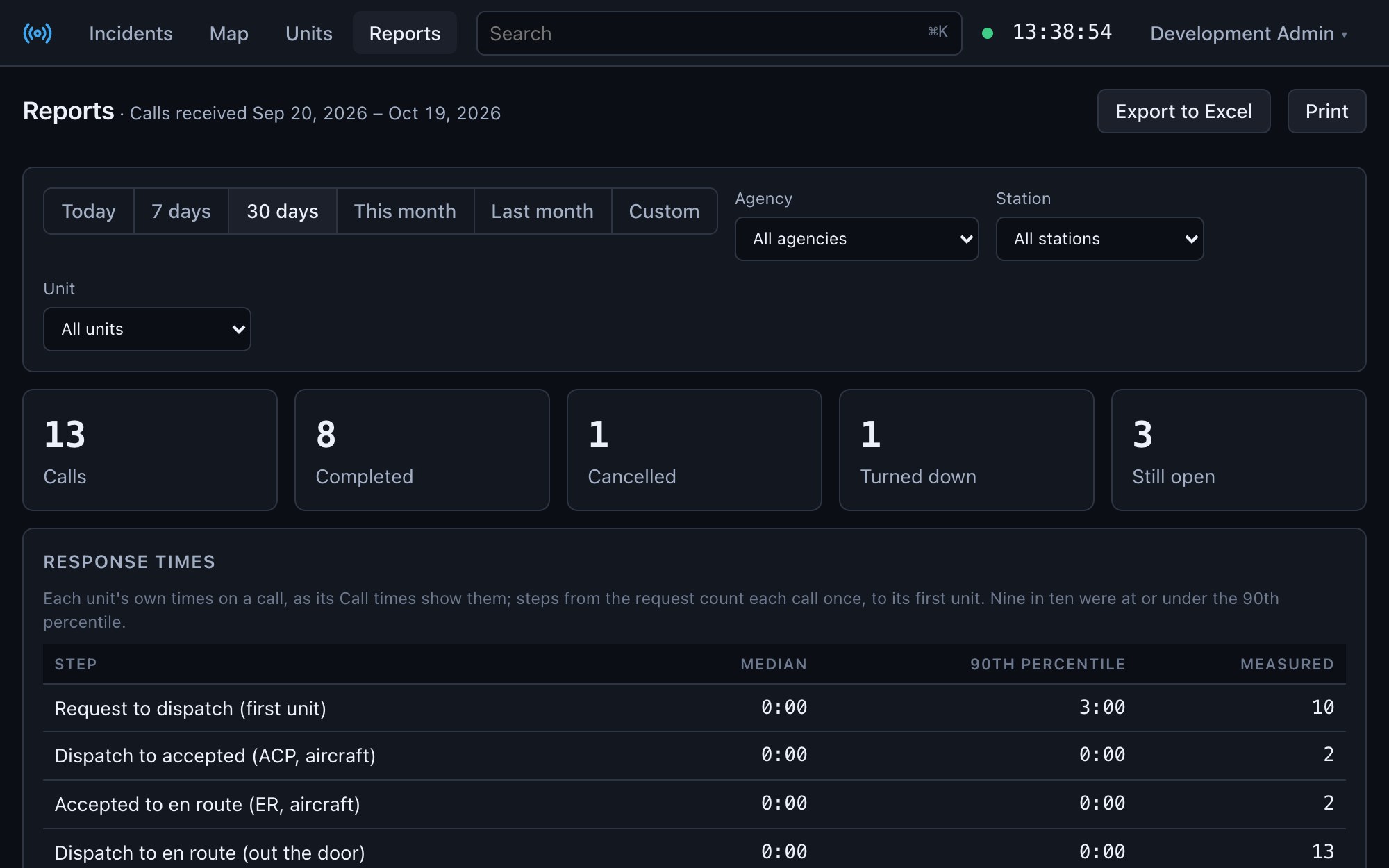
- Reports split medical and fire: response times at the median and the 90th percentile, calls by type, priority and outcome, turndowns by unit and reason, any range you like, for an agency, a station or one unit. Export to Excel.
- NEMSIS v3.4 CAD feed for your ePCR — ImageTrend among them — one record per unit response.
Your center, set up your way
Everything your calls are built from, edited in place and exportable to a spreadsheet.
Agencies and stations
Fire, EMS and air medical agencies, each with its stations, addresses and phone numbers.
Units
Engines, ladders, squads, rescues, chiefs, ALS and BLS ambulances, helicopters and fixed wing. ALS or BLS on the apparatus that carries it.
Callsigns that read right
Built from the kind of unit, its care level and its station, with each agency's own prefixes, so ME21 and BC2 read the way your crews say them. Air medical units keep their own numbers.
Crew
Who is on board, by name and role, and which iPad they are signed in on.
Facilities
Hospitals by trauma level, helipads, airports and landing zones, offered as destinations.
Radio channels
Your command and tac channels with their frequencies and tones, searchable from the call, the command line and the iPad.
Addresses you know about
Every note kept against a place, who kept it and the call it came from — reviewed and retired here.
Roster workbook
Agencies, stations, units, crew, facilities and frequencies exported to one Excel workbook and imported back through the same rules.
iPads
One-time enrolment codes, a device list with last check-in, and removal that takes effect at once.
Users and roles
Dispatchers and administrators, with password or single sign-on.
Response plans
What each EMD card asks for, by determinant level, with an upgrade plan for the serious ones.
Integration keys
Keys for the ePCR feed, issued and revoked here.
Status rules that hold everywhere
The same rules on the console, the command line and the iPad, so a unit's times always read in order.
Transporting only from on scene, and transport complete only from transporting.
At TR the destination, the code and the patient count are set — and corrected afterwards from either side.
Ground units skip flight acceptance (ACP), and only aircraft decline a call.
A call's times end at AOR: the unit is clear and back on the radio. Closing a call puts anyone still on it there.
Back in quarters is where a unit is between calls, not a time the call records.
See it with your own units
We'll set up a demonstration with your stations and units, and an iPad to try in a cab.
Request a demo